

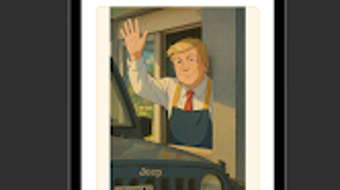
Description
Download Ghibli Art Maker – Ghibli art generator, anime photo editor, AI art tool, Studio Ghibli style, digital art app, Ghiblify, photo to anime, AI-powered art, fantasy art generator, Ghibli-style transformation
Overview
Ghibli Art Maker is an Android-based digital art application developed by Ghiblify, designed to transform photographs into visually captivating artwork inspired by the iconic aesthetic of Studio Ghibli. The software targets users who appreciate the whimsical, hand-painted quality of Ghibli films and wish to convert personal images—such as selfies, portraits, or scenic landscapes—into animated-style masterpieces. By leveraging AI-powered processing, the app enables users to generate detailed, painterly outputs that emulate the soft lighting, dreamlike color palettes, and expressive textures characteristic of Ghibli’s visual storytelling.
The application serves a broad audience, including anime enthusiasts, casual digital artists, and social media content creators seeking unique visual content. It is particularly suited for those who want to add a fantastical touch to personal photos without requiring formal artistic training. Use cases include creating themed profile pictures, generating artwork for fan projects, or producing shareable content for platforms like Instagram and TikTok. The app is available at no cost, with optional in-app purchases for enhanced features, making it accessible to a wide user base.
Key Features & Capabilities
- AI-Powered Ghibli-Style Transformation – Automatically applies Studio Ghibli’s distinctive visual language to uploaded photos, adjusting colors, textures, and lighting to match the studio’s signature animation style.
- HD Quality Output – Generates high-resolution images suitable for printing or digital sharing, preserving fine details and minimizing pixelation.
- Customizable Effects – Offers adjustable settings to fine-tune the intensity of fantasy elements, such as soft glows, ethereal skies, and dreamy depth-of-field.
- Multi-Image Support – Allows conversion of various photo types, including portraits, landscapes, and group shots, ensuring broad usability across different content types.
- One-Tap Sharing – Enables direct export to social media platforms or cloud storage, streamlining the process of showcasing or preserving created artwork.
These features empower users to explore creative expression through an intuitive interface. For example, a user might transform a simple cityscape photo into a scene resembling a Ghibli film backdrop, complete with floating islands and gentle mist. Similarly, a portrait can be reimagined with soft, glowing highlights and a pastoral atmosphere, evoking the emotional tone of Miyazaki’s narratives. The tool is especially effective for users who value visual storytelling and wish to blend real-world imagery with imaginative design.
User Interface, Workflow & Performance
The user interface of Ghibli Art Maker is designed with simplicity and accessibility in mind. The main screen presents a clean layout with a central upload area, clearly labeled buttons for photo selection, and a preview window for the transformed image. Navigation is straightforward, allowing users to select a photo, apply the Ghibli transformation, and export the result with minimal steps. The workflow is optimized for speed, enabling quick processing of images once uploaded.
While specific performance metrics were not provided, the app’s lightweight nature—measuring just 48.5 MB—suggests efficient resource usage. The developer did not specify exact CPU or RAM behavior, but the app’s design implies it is optimized for mobile environments. Stability appears to be a focus, as the app functions without requiring complex setup or background services. Users can expect consistent results across different Android devices, though actual performance may vary based on individual hardware capabilities.
Compatibility & System Requirements
Ghibli Art Maker is designed exclusively for Android devices, with version 2.1.0 currently available. The installation size is 48.5 MB, indicating a compact footprint that minimizes storage impact. The developer did not specify detailed system requirements, such as minimum Android version, RAM, or processor specifications. As a result, compatibility information is limited to the platform and version listed.
Users should ensure their device runs a supported version of Android to avoid installation issues. While the app’s small size suggests broad compatibility, exact hardware or OS compatibility details were not provided. The absence of information regarding offline functionality or cloud sync options means users may need to rely on local processing and storage for their creations.
Pros and Cons
Pros
- Transforms photos into Ghibli-style artwork with minimal effort
- Offers high-quality, shareable outputs ideal for social media
- Free to download with optional in-app upgrades
- Intuitive interface suitable for non-artists
- Lightweight installation size (48.5 MB)
Cons
- No official details on system requirements or minimum OS version
- Performance behavior on low-end devices not documented
- Relies on in-app purchases for advanced features
- Only available on Android, limiting cross-platform access
- Exact resource usage (CPU/RAM) not specified
FAQ Section
Is Ghibli Art Maker available for iOS?
As of now, the application is only available for Android devices. There is no official release for iOS.
Does the app require an internet connection?
The app functions primarily offline after installation, but certain features may require connectivity for updates or in-app content.
Are there any safety concerns with using Ghibli Art Maker?
The app is free to download and does not display known malware indicators. Users should install it only from trusted sources.
How often are updates released?
Updates are released periodically to improve performance and add new features, though the frequency is not publicly disclosed.
Can I use the generated artwork commercially?
Commercial use of output images may be subject to the app’s terms of service, which were not specified in the provided information.
Final Thoughts
Ghibli Art Maker delivers a compelling fusion of AI technology and artistic inspiration, offering a unique way to reimagine everyday photos through the lens of Studio Ghibli’s enchanting world. Its intuitive design, combined with high-quality output and broad creative potential, makes it a standout tool for fans of anime and digital art. While limitations exist in terms of platform availability and lack of detailed system specifications, the app remains accessible and functional for Android users seeking a fun, creative outlet.
For enthusiasts who enjoy blending reality with fantasy, Ghibli Art Maker provides a seamless experience that encourages experimentation and sharing. Whether used for personal enjoyment or social media expression, it stands out as a valuable addition to the digital art toolkit.
Download Ghibli Art Maker now
Guides & Tutorials for Ghibli Art Maker
How to install Ghibli Art Maker
- Click the Preview / Download button above.
- Once redirected, accept the terms and click Install.
- Wait for the Ghibli Art Maker download to finish on your device.
How to use Ghibli Art Maker
This software is primarily used for its core features described above. Open the app after installation to explore its capabilities.
User Reviews for Ghibli Art Maker 0
No reviews found





